
How to Choose a POS System: The 2026 Buyer's Guide
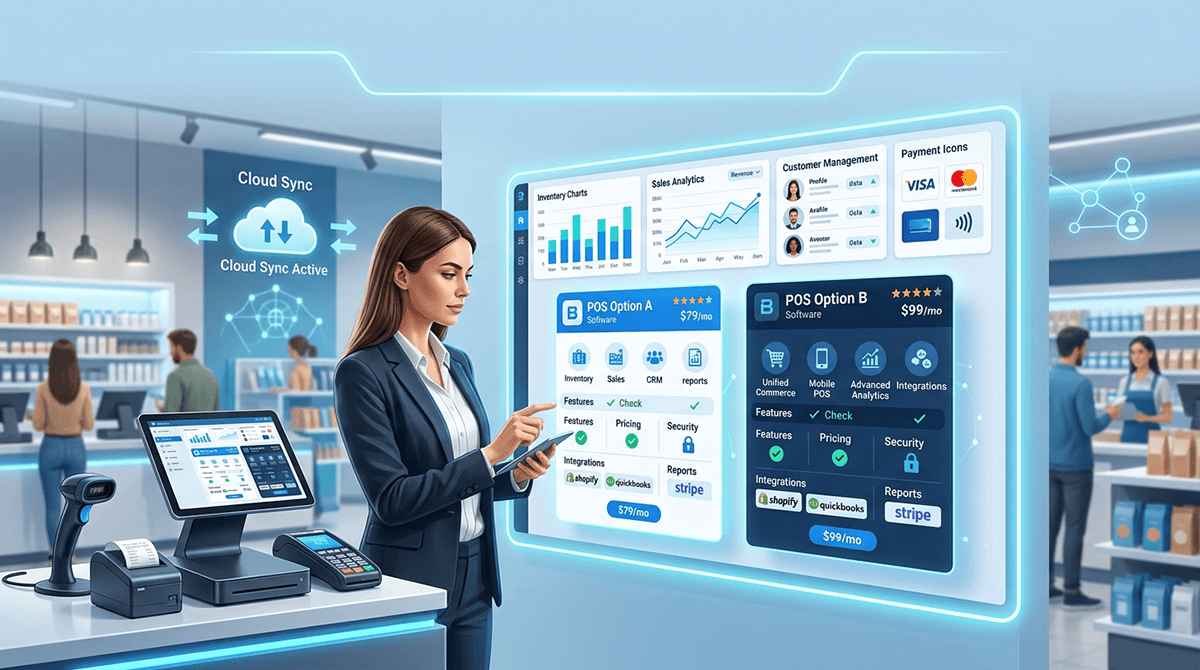
How to Choose a POS System: What This Decision Actually Involves
Choosing a point of sale system is one of the most operationally significant decisions a retail, hospitality, or service business will make. Your POS touches every customer transaction, every inventory movement, and every end-of-day reconciliation. The wrong choice costs you in three ways: direct subscription costs, hidden operational friction, and the expense of switching later.
This guide covers the eight key criteria you should evaluate before committing to any POS system, plus the questions to ask vendors before you sign anything.
1. Does It Actually Fit Your Industry?
Generic POS systems work adequately for simple retail. But the moment your business has industry-specific requirements — a pharmacy needing expiry date tracking and dispensing records, a restaurant needing table management and kitchen display integration, a supermarket needing weighted items and loyalty at scale — a generic system starts showing its limits quickly.
Before evaluating any POS, list your industry-specific must-haves. Then confirm whether each system supports them natively (built in) or via third-party add-ons (more expensive, more points of failure, harder to support).
Questions to ask:
- What industries do you specialise in?
- Which of my specific workflow requirements are built in versus added on?
- Can I see a demo using my exact use case, not a generic walkthrough?
2. Is It Integrated With Your Back Office?
A POS that operates as an island — disconnected from your inventory, accounting, and purchasing systems — creates work. Every sale has to be reconciled manually. Inventory counts lag behind reality. Your accountant gets data exports instead of live reporting.
The gold standard is a POS that is genuinely integrated with your ERP — sharing a single database, not syncing between two separate systems. When a sale happens, it should instantly update stock levels, post to the general ledger, and update the customer record. No manual export. No overnight sync. No reconciliation headache.
If a vendor describes their ERP integration as a “sync” or “connector”, that is a red flag. Ask how long the sync takes and what happens if it fails.
3. What Is the True Total Cost?
POS pricing is rarely as simple as the headline subscription fee. Before comparing systems on price, you need to understand the full cost structure:
- Monthly subscription: Per location, per terminal, or per user?
- Hardware: Is specific proprietary hardware required, or can you use standard hardware?
- Implementation: Is setup included, or is there a one-time implementation fee?
- Training: Is initial training included? What about ongoing training for new staff?
- Support: Is 24/7 support included in the base fee or charged as an add-on?
- Payment processing: Does the system require you to use their payment gateway? At what rates?
- Scaling: How does cost change when you open a second or third location?
A system priced at $99/month can easily cost $500/month by the time hardware, payment processing fees, and support are factored in. Get a fully itemised quote covering your actual expected usage for the first 12 months.
4. How Does It Handle Multi-Location Operations?
If you operate more than one location today — or plan to — this question is critical. Many POS systems are designed for single-site operations and bolt on multi-location support as an afterthought. The result is fragmented inventory, separate reporting per location, and no consolidated view of the business.
A POS built for multi-location from the ground up gives you:
- Consolidated inventory across all sites
- Inter-location stock transfers
- Consolidated reporting for ownership-level visibility
- Location-level reporting for site managers
- Centralised product and pricing management
Ask vendors to show you exactly how multi-location inventory and reporting works — live, not in screenshots.
5. What Are the Hardware Requirements?
Some POS systems are proprietary — they only work on the vendor's own hardware, which you must purchase from them at their prices. Others are cloud-based and run on any modern device: iPad, Android tablet, standard Windows or Mac computer, or a dedicated touchscreen terminal.
Proprietary hardware creates vendor lock-in and higher upfront costs. If a terminal fails, you may need to wait for the vendor to replace it. If you exit the contract, your hardware may be worthless.
Cloud-native POS systems running on standard hardware give you flexibility: use existing devices, buy replacements from any supplier, and switch vendors without throwing away hardware.
Also ask about offline mode. If your internet connection goes down, can the POS keep taking sales? A cloud POS that fails completely when offline is unacceptable for most retailers and hospitality businesses.
6. What Is the Support Model?
When your POS goes down during trading hours, you need help immediately. Not in 48 hours via email. Not via a knowledge base article.
Evaluate support before you sign anything:
- What are the support hours? (24/7 is ideal for hospitality businesses that trade evenings and weekends)
- What channels are available? (Phone, live chat, email)
- What is the average response time for critical issues?
- Is support included in the base subscription or charged separately?
- Is there a dedicated account manager or onboarding consultant?
Check independent review platforms (Capterra, G2, Trustpilot) to see how current customers describe the support experience. Vendor case studies and testimonials on the vendor's own website are not a substitute for independent reviews.
7. Can You Trial It With Your Own Use Cases?
Any credible POS vendor should offer a free demo or trial. Before you see a demo, prepare a list of your most important workflows and edge cases. Then insist on seeing those specific scenarios during the demo, not a pre-scripted walkthrough of the vendor's strongest features.
Important scenarios to test during a demo:
- Your most common sale type, including any discounts or variable pricing
- A return or exchange
- A split-payment transaction
- Adding a new product and seeing it appear at the POS immediately
- Running your most important report
- What the system looks like when offline
If a vendor refuses to show you specific workflows live, or requires you to sit through a fixed presentation first, treat that as a signal about how flexible the software is likely to be.
8. Is It Built to Scale With Your Business?
The right POS today might not be the right POS in two years if your business grows. Before committing, understand the growth path:
- Can you add locations on the same subscription without a new implementation?
- Can you add new modules (loyalty, e-commerce, advanced analytics) when you need them?
- Is the vendor actively developing the product, or is it stagnant?
- What does the contract look like if you outgrow the current tier?
Cloud-native platforms have a structural advantage here: new features are pushed automatically, new locations are added through the dashboard, and you never need to re-implement to upgrade.
POS Buyer's Checklist: Before You Sign
- Get a fully itemised 12-month cost projection including hardware, support, and payment processing
- Run a live demo with your own specific workflows, not the vendor's default walkthrough
- Confirm how ERP/back-office integration works: single database or sync?
- Test offline mode: what happens when internet goes down?
- Check support hours and response times, verified by independent reviews
- Understand the contract: minimum term, exit clauses, data ownership
- Confirm hardware flexibility: proprietary or standard devices?
- Ask for customer references in your specific industry
How EloERP Cloud Approaches POS
EloERP Cloud is built as a single integrated platform — POS, inventory, accounting, purchasing, payroll, and HR share one database. There is no sync, no middleware, and no reconciliation. Every sale posts instantly to the general ledger and deducts from stock in real time.
EloERP Cloud supports 35+ industry verticals. Whether you run a pharmacy, restaurant, retail store, supermarket, or service business, the POS is designed for your specific workflows — not generic functionality that you have to adapt. Multi-location is native: all sites share one inventory pool and one reporting system.
Schedule a Free Demo → to see EloERP Cloud with your own use cases, or view pricing for your industry.